
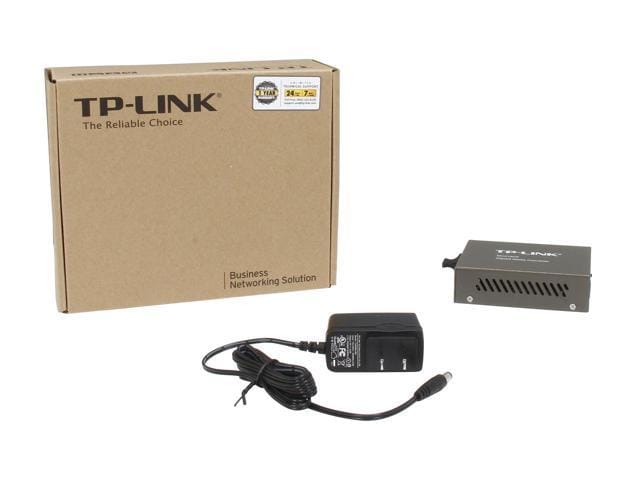

TP-Link Media Converters
TP-LINK MC210CS (1000Mb/s, single-mode, SC, 15km)
TP-LINK MC210CS (1000Mb/s, single-mode, SC, 15km) 10/100/1000Mbps Auto-Negotiation RJ45 port supporting Auto-MDI/MDIX Complies with IEEE 802.3ab and IEEE 802.3z Extends fiber distance up to 15km(9.3 miles)
KSh 7,000.00Listed product price · confirm current availability with Starmount.
Request a quote for this product Discuss it on WhatsApp
Equipment supplyInstallation enquiriesDirect team contact
Know what you’re choosing
Product information
TP-LINK MC210CS – A high-performance single-mode media converter that bridges fiber optic and Ethernet networks. Supports up to 1000Mb/s and extends your network up to 15km, making it perfect for offices, enterprises, and long-distance connections.


Advantages & Benefits:
-
Gigabit Performance – Supports up to 1000Mb/s for ultra-fast data transfer.
-
Single-Mode Fiber – Connects devices over long distances up to 15km reliably.
-
SC Connector – Standard fiber interface ensures compatibility and easy installation.
-
Plug-and-Play Setup – Quick and hassle-free installation with no complex configuration.
-
LED Indicators – Monitor power, link, and activity status at a glance.
-
Reliable Long-Distance Networking – Perfect for linking buildings or extending office networks.
-
Compact & Durable Design – Fits neatly in any setup while providing lasting performance.
-
Energy Efficient – Low power consumption without sacrificing speed or stability.
-
Ideal for Businesses & Enterprises – Supports critical network infrastructure with high reliability.
Quick Setup Guide:
-
Connect Fiber Cable – Insert your single-mode SC fiber cable into the fiber port.
-
Connect Ethernet Device – Use a standard Ethernet cable to link your computer, switch, or router.
-
Power On – Plug in the power adapter and turn on the converter.
-
Check LEDs – Confirm that power, link, and activity indicators show proper connection.
-
Enjoy Extended Network – Your Ethernet and fiber networks are now connected efficiently.
More options
All tp-link media converters Related products.

The next step is a conversationA single product.
A single product.
Or your next big project.
Tell us what you need. Let’s find the right equipment and approach.