

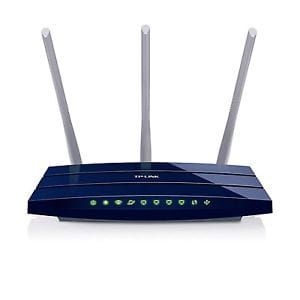
Wi-Fi Gigabit Router TL-WR1043N TP-Link N450
TP-Link Routers
KSh 7,000.00 Including VAT (Before VAT: KSh 7,000.00)
Add to cart
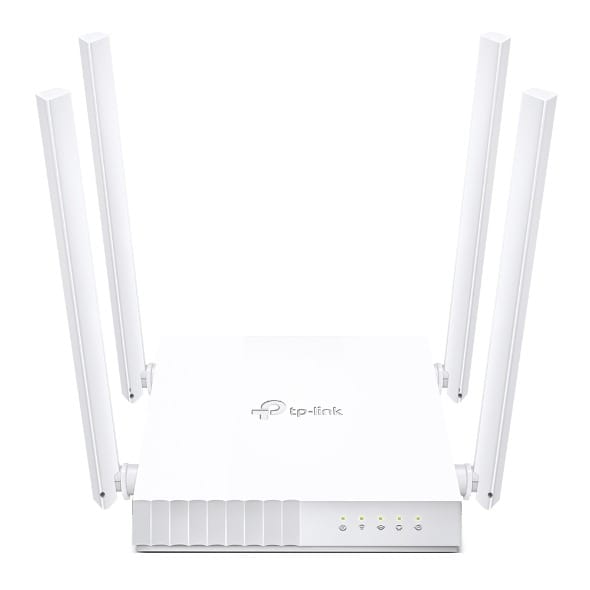
Tp Link TL-WR840N | 300Mbps Wireless N Router The 300Mbps Wireless N Router TL-WR840N is a combined wired/wireless network connection device designed specifically for small business and home office networking requirements Key Features: Supports Range Extender mode to boost the existing wireless coverage in your room Guest Network provides separate access for guests while securing the home network Parental Controls manage when and how connected devices can access the internet 300Mbps wireless transmission rate ideal for both bandwidth sensitive tasks and basic work Supports Access Point mode to create a new Wi-Fi access point compatible with IPv6 (Internet Protocol version 6) IPTV supports IGMP Proxy/Snooping, Bridge and Tag VLAN to optimize IPTV streaming
The TP-Link TL-WR840N is a reliable wireless router designed to deliver fast and stable 300Mbps Wi-Fi for homes and small offices. Tp Link TL-WR840N | 300Mbps provides seamless connectivity for browsing, streaming, and online.

300Mbps Wireless N speed for smooth internet experience
Easy setup and user-friendly interface
Reliable Wi-Fi coverage for multiple devices
Supports WPS for quick and secure connections
Compact and durable design
Ideal for home, small office, and online entertainment
Connect the router to your modem using an Ethernet cable
Plug in the power adapter and switch on the router
Use the web interface or Tether app to configure your network
Connect devices to Wi-Fi using the SSID and password
Enjoy fast and stable internet across your home or office
TP-Link Routers
TP-Link Routers
TP-Link Routers

TP-Link Routers
Tell us what you need. Let’s find the right equipment and approach.