

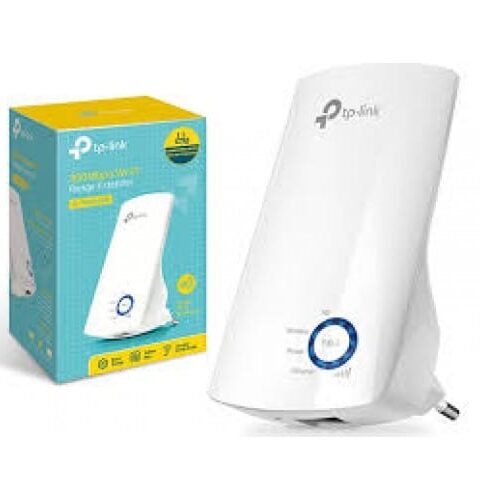
300Mbps Universal Wi-Fi Range Extender Tplink TL-WA850RE
TP-Link Range Extenders
Original price was: KSh 4,060.00.KSh 3,480.00Current price is: KSh 3,480.00. Including VAT (Before VAT: KSh 3,000.00) + VAT
Add to cart
TP-Link TL-WPA4220KIT – A Powerline Wi-Fi extender starter kit that delivers fast, reliable internet throughout your home using your existing electrical wiring. Perfect for eliminating dead zones and boosting Wi-Fi coverage in every room.…
TP-Link TL-WPA4220KIT – A Powerline Wi-Fi extender starter kit that delivers fast, reliable internet throughout your home using your existing electrical wiring. Perfect for eliminating dead zones and boosting Wi-Fi coverage in every room.

Advantages & Benefits:
Powerline 600 Mbps – High-speed wired connection using your home’s electrical outlets.
Wi-Fi Extension – Expands wireless coverage to hard-to-reach areas for seamless connectivity.
Easy Setup – Plug-and-play installation with simple pairing of adapters.
Dual Ethernet Ports – Connect wired devices like smart TVs, PCs, or game consoles.
Compact & Stylish Design – Fits neatly in any room without cluttering outlets.
Secure & Reliable – 128-bit AES encryption protects your network.
Eliminate Dead Zones – Enjoy stable Wi-Fi in every corner of your home or office.
Energy Efficient – Low power consumption for eco-friendly operation.
Perfect for Streaming & Gaming – Smooth online experience without interruptions.
Quick Setup Guide:
Connect the Main Adapter – Plug into a power outlet near your router and connect via Ethernet.
Connect the Secondary Adapter – Plug into an outlet in the room you want to extend Wi-Fi.
Pair Adapters – Press the “Pair” button on both adapters to establish a secure connection.
Connect Devices – Join Wi-Fi or plug in wired devices to the Ethernet ports.
Enjoy Extended Network – Your home now has stable wired and wireless internet coverage.
TP-Link Range Extenders

TP-Link Range Extenders

TP-Link Range Extenders

TP-Link Range Extenders
Tell us what you need. Let’s find the right equipment and approach.