


D-Link switches
D-Link DGS1210-28P 24-Port Gigabit Smart Managed PoE Switch
D-Link DGS1210-28P – A high-performance 24-port Gigabit Smart Managed PoE switch that delivers fast, reliable, and flexible network connectivity. Ideal for powering IP cameras, access points, and VoIP phones while efficiently managing your office…
KSh 41,000.00 + VATListed product price · confirm current availability with Starmount.
Request a quote for this product Discuss it on WhatsApp
Equipment supplyInstallation enquiriesDirect team contact
Know what you’re choosing
Product information
D-Link DGS1210-28P – A high-performance 24-port Gigabit Smart Managed PoE switch that delivers fast, reliable, and flexible network connectivity. Ideal for powering IP cameras, access points, and VoIP phones while efficiently managing your office or business network.
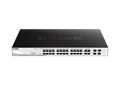

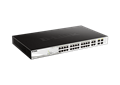
Advantages & Benefits:
-
24 Gigabit Ports – High-speed connectivity for multiple devices simultaneously.
-
PoE+ Support – Provides power directly to IP cameras, APs, and other PoE devices over Ethernet.
-
Smart Management Features – VLAN, QoS, IGMP Snooping, and port trunking for optimized network performance.
-
Reliable & Stable Connection – Ensures smooth data transfer across all connected devices.
-
Energy Efficient – Reduces power consumption without compromising performance.
-
Easy Web-Based Setup – Intuitive interface for quick configuration and management.
-
Compact & Durable Design – Rack-mountable and built to last in professional setups.
-
Supports Network Expansion – Flexible solution for growing offices or businesses.
-
Ideal for Offices & Surveillance Systems – Perfect for businesses, schools, or security networks.
Quick Setup Guide:
-
Rack or Desk Placement – Install the switch securely in a rack or on a flat surface.
-
Connect Devices – Plug Ethernet cables from computers, IP cameras, or access points into the ports.
-
Enable PoE (if needed) – Activate PoE via web interface to power compatible devices.
-
Access Web Interface – Configure VLANs, QoS, monitoring, and other management features.
-
Monitor Network – Use LED indicators and web interface to check activity, traffic, and device status.
-
Enjoy High-Speed Network – Devices are now powered and connected reliably.
More options
All d-link switches Related products.

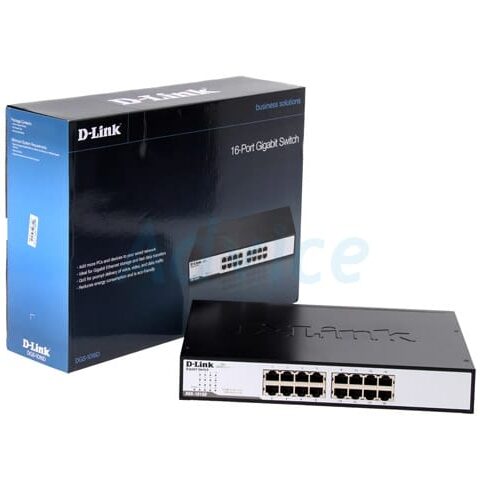
16‑Port Gigabit Unmanaged Desktop Switch DGS‑1016D
D-Link switches
Original price was: KSh 13,000.00.KSh 9,000.00Current price is: KSh 9,000.00. + VAT
Add to cart

D-Link DES 1050G switch 48-ports unmanaged rack mountable
D-Link switches
KSh 32,000.00 + VAT
Add to cart
The next step is a conversationA single product.
A single product.
Or your next big project.
Tell us what you need. Let’s find the right equipment and approach.