

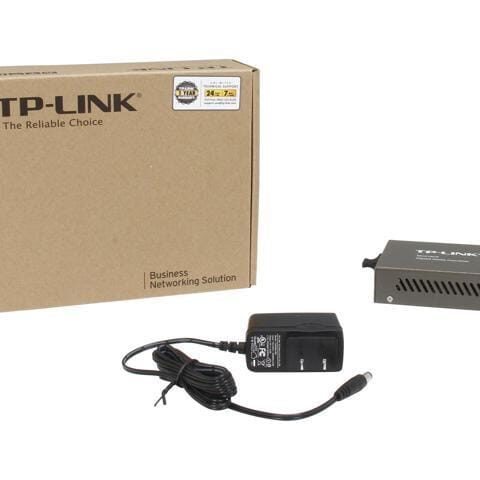
TP-LINK MC210CS (1000Mb/s, single-mode, SC, 15km)
TP-Link Media Converters
KSh 7,000.00 Including VAT (Before VAT: KSh 7,000.00) + VAT
Add to cart
TP-Link TL mc200 Multi mode media Converter Multimode Gigabit Fiber Media Converter - Built-In Fiber Module 2 km (1.24 miles) SC – to UTP…. ... Gigabit Ethernet Media Converter, Single Mode Dual SC Fiber, 1000Base-LX to 10/100/1000Base…. ... Gigabit Ethernet Fiber Media Converter - Compact - 850nm MM LC - 550m - With MM SFP ...
TP-Link TL-MC200 Multi-Mode Media Converter – A reliable media converter that seamlessly connects multi-mode fiber optic networks to Ethernet devices. TP-Link TL mc200 Multi perfect for extending network reach while maintaining high-speed, stable connections in offices and businesses.


Advantages & Benefits:
Multi-Mode Fiber to Ethernet Conversion – Easily connects fiber optic links to standard Ethernet networks.
High-Speed Transmission – Supports up to 100Mbps for fast and stable data transfer.
Simple Plug-and-Play Setup – No complex configurations needed; quick and hassle-free installation.
Compact & Durable Design – Small footprint fits neatly in any workspace while ensuring longevity.
LED Indicators – Quickly check power, link, and activity status at a glance.
Extend Network Coverage – Ideal for connecting devices over long distances via fiber optics.
Energy Efficient – Low power consumption without compromising performance.
Versatile Use Cases – Suitable for offices, businesses, schools, or industrial networks.
Quick Setup Guide:
Connect Multi-Mode Fiber Cable – Plug the fiber cable into the SFP port.
Connect Ethernet Device – Use a standard Ethernet cable to link to your computer, switch, or router.
Power On – Connect the power adapter and switch on the device.
Check LED Indicators – Ensure lights show proper power, link, and activity.
Enjoy Seamless Connectivity – Fiber and Ethernet networks are now integrated efficiently.
TP-Link Media Converters

Fiber Optics
Tell us what you need. Let’s find the right equipment and approach.